

The demo
Watch the whole app run. 13 minutes, nothing staged.
One screen recording of the live product: real questions answered, one missed on purpose, a teach-back graded out loud, and a simulation graded field by field. What you see is what the free sample contains.
Click a chapter to jump the player to it.
Getting in: email, section, drill
The entry flow is the first thing on camera because it is the shortest part: an email address, a section pick, and the first question is on screen. No card, no account creation, no onboarding videos. The free sample is 400 MCQs and 18 simulations from the same bank, and it never expires.
A wrong answer, decoded
One question is missed on purpose, because the explanation screen is the product. Every one of the 17,658 questions carries a written rationale under each wrong option, not just the right one. Where a question uses a known test-writing tell, the tell is tagged and named, so you learn to read questions, not just accounting.
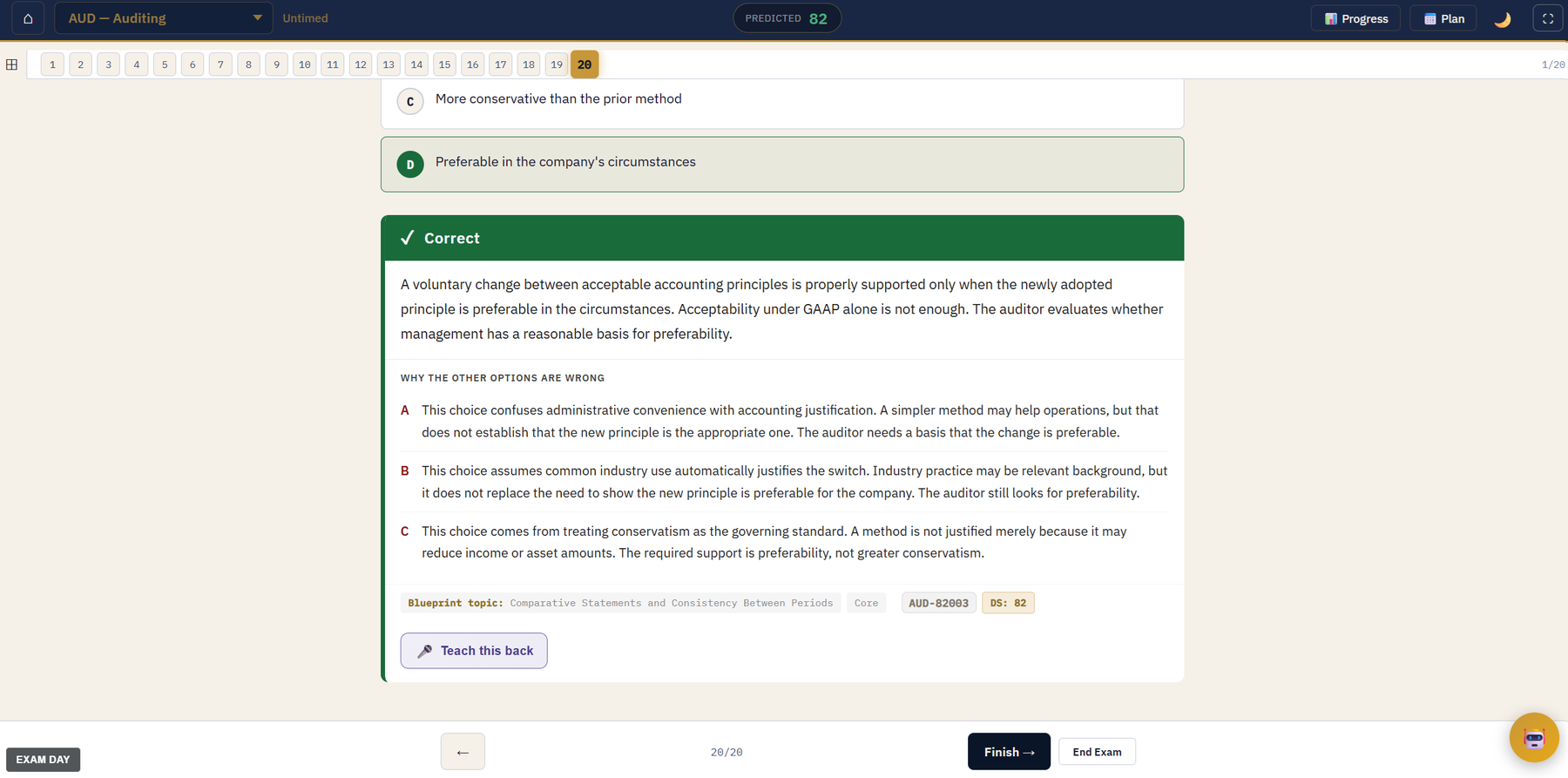
The explanation screen. Each of the three wrong options carries its own written rationale, not just the right one.
Teach-back, graded live on camera
The teach-back is spoken imperfectly on purpose and the grade lands on camera. You explain the concept out loud in your own words and the AI grades the explanation against the real one. If you cannot teach it, you do not know it. This is the feature no other bank has, so it gets demonstrated rather than described.
A simulation, graded field by field
One task-based simulation from the 603, worked with the exhibit tabs open and one field answered wrong on purpose. Grading is per field, each field cites the authority it came from, and every simulation carries a walkthrough of how to attack that type of sim. Difficulty is selectable, and the free sample serves the same difficulty range as the paid bank.
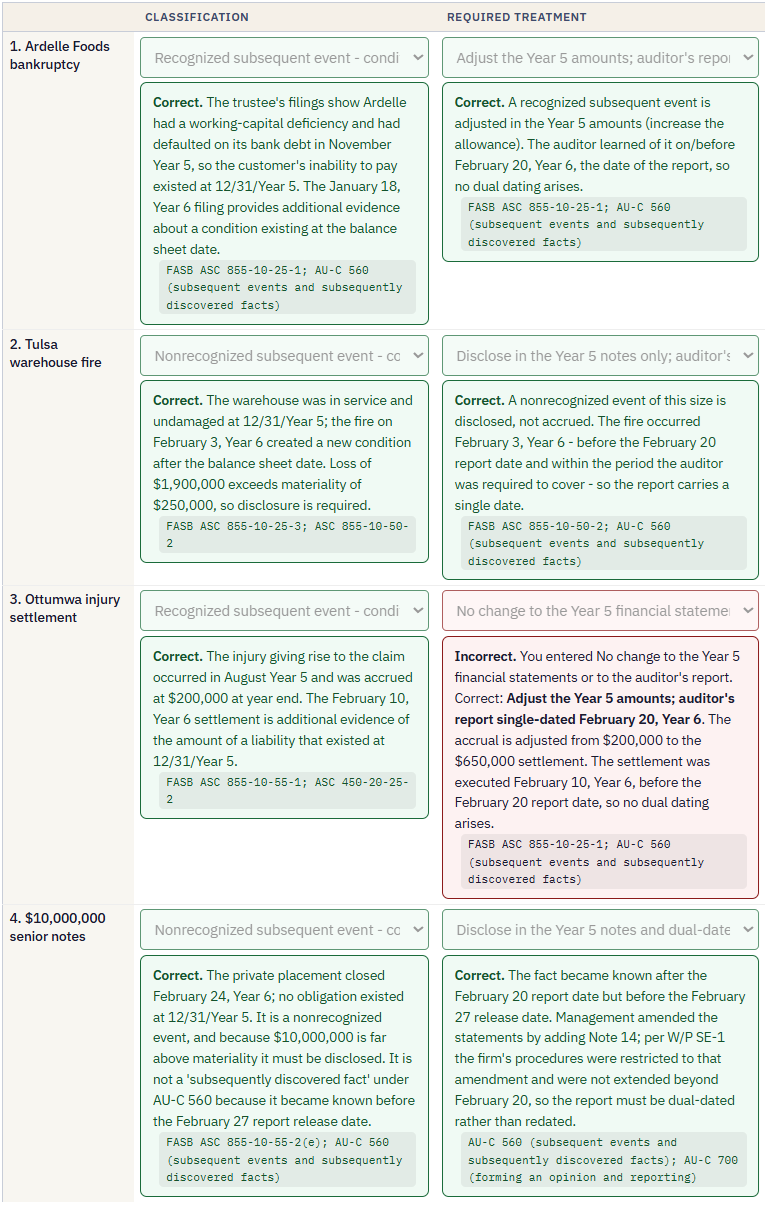
A simulation after grading: every field with its own result, explanation, and the authority it came from.
Exam Day Mode
One toggle reskins the bank into the Prometric-style interface: five testlets, the clock, the question navigator, and exhibits as floating windows you stack and move against the answer fields, the way the real exam makes you work. It is deliberately ugly. Nobody should meet that layout for the first time at the testing center.
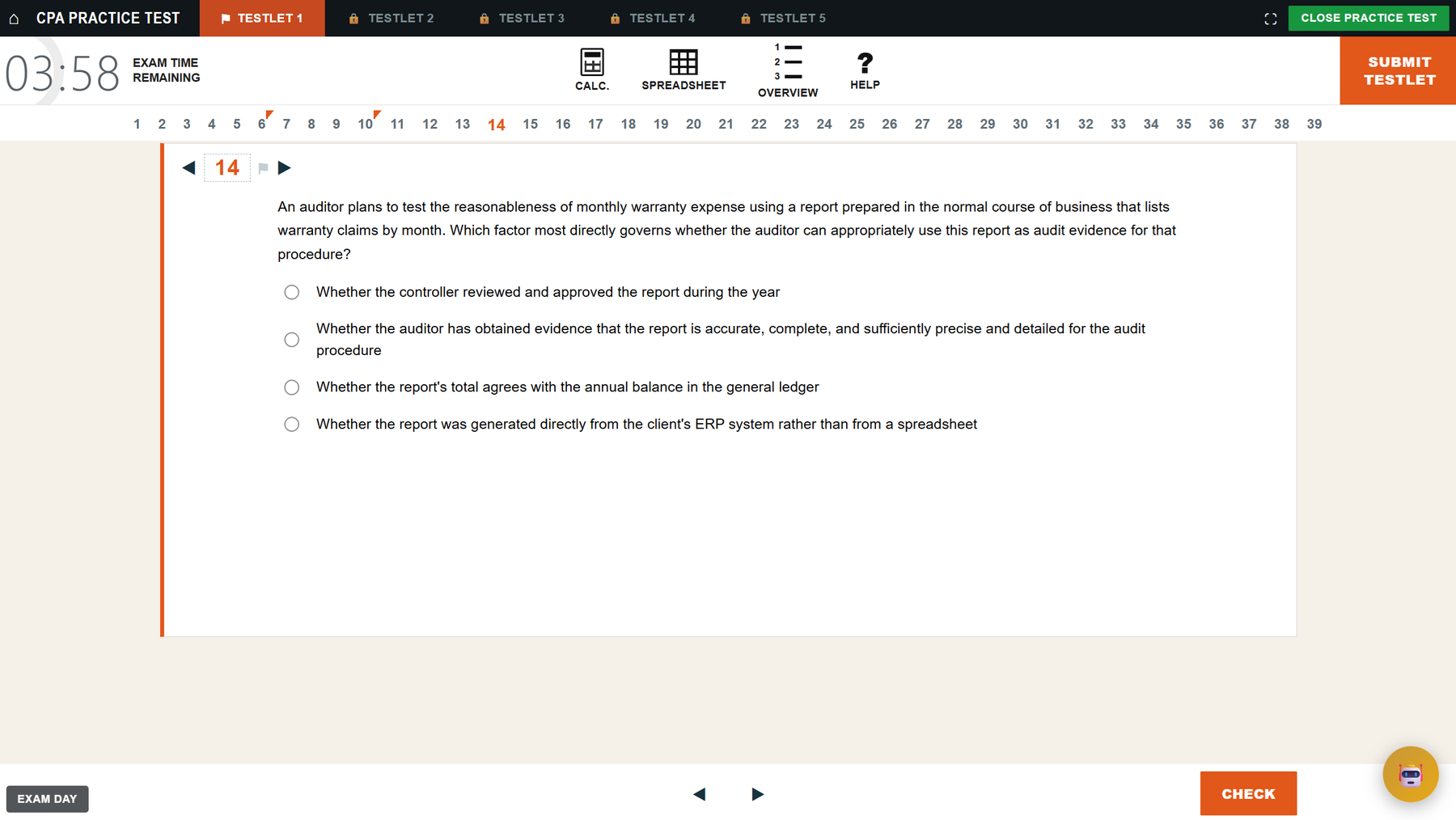
Exam Day Mode: testlets, clock, navigator, and movable exhibit windows.
The Progress Tracker and the predicted score
The Progress Tracker turns your exam date into a daily points budget and charts your actual work against it, alongside a topic mastery table with five gates per topic. The dashboard's predicted score comes with a band and a disclosure: the number unlocks after 100 questions, and it has not yet been validated against real score notices. When enough score notices come in through the Retake Rate, the comparison gets published either way.
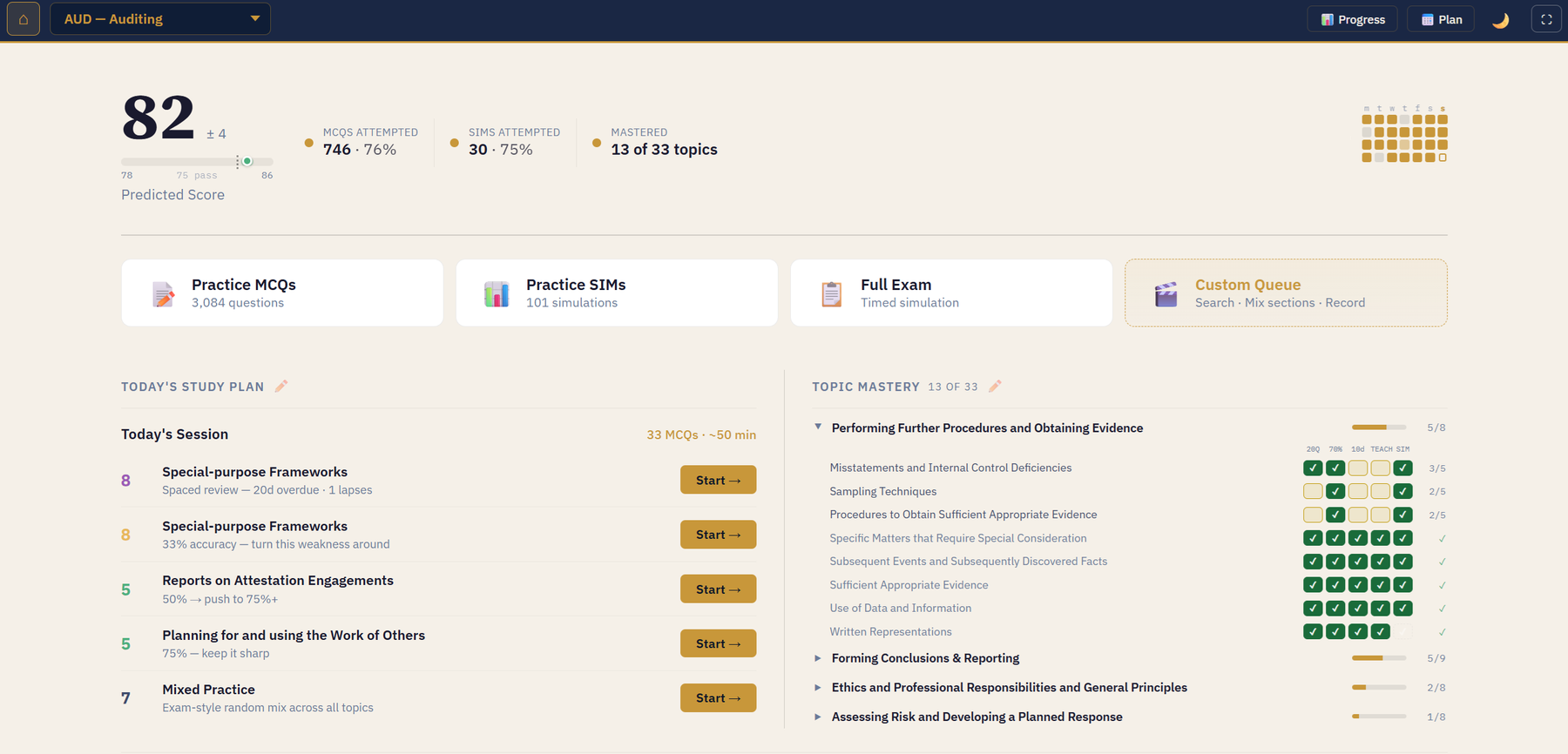
The dashboard: predicted score, today's plan, and the mastery table.
The study plan
Your exam date becomes a daily question target, mock exams land on the timeline, and the whole plan exports to Google or Outlook calendar as an .ics file.
Try the app in the video.
400 MCQs, 18 sims, never expires.
More videos, including sim solve-alongs, on the ChatCPA channel.